
//
Subscribe to the Tabnine newsletter
//
Get news and updates about AI, software development, and more.

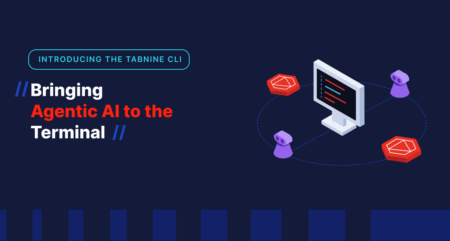
For years, AI coding assistance has been tightly coupled to the IDE. Autocomplete, inline suggestions, and chat panels have become familiar companions while writing code inside an editor. But modern development workflows extend far beyond the IDE. Developers spend a significant amount of time in terminals, CI pipelines, remote environments, and automated workflows where traditional IDE-bound AI simply does not reach.
That reality is what led to the creation of the Tabnine Command Line Interface (CLI). A new, standalone AI coding agent designed to operate directly in the terminal and bring enterprise-grade, context-aware AI into every part of the development lifecycle.
The Tabnine CLI represents a major evolution in how AI integrates into real-world software development.
The Tabnine CLI is a fully autonomous or semi-autonomous AI coding agent that runs natively in the terminal. Rather than being embedded in an IDE, it functions as a standalone entry point into the Tabnine platform—capable of understanding repositories, executing commands, modifying files, and managing workflows directly from the command line.
The result is a tool that feels familiar to developers who already use terminal-native workflows, but operates with a much deeper understanding of enterprise codebases and constraints.
The Tabnine CLI is designed to handle end-to-end development tasks, not just generate snippets of code. It behaves as an agent that can plan, execute, and review work with minimal supervision.
At its core, the CLI supports both interactive and fully autonomous workflows. In interactive mode, the agent explains what it plans to do and asks for confirmation before taking actions such as editing files or running commands. For teams and developers who are comfortable granting more autonomy, the CLI also supports “Yolo mode” (You Only Live Once)—a mode in which the agent executes tasks without pausing for approval at every step.
To maintain transparency even in autonomous execution, the CLI keeps an internal task list that tracks what it has done, what it is working on, and what remains. Developers can inspect the agent’s reasoning and progress at any time.
Beyond writing code, the CLI integrates deeply into the development workflow:
The agent also extends into code review. When run inside CI/CD systems such as GitHub Actions, the Tabnine CLI can perform automated pull request reviews, providing high-level assessments, inline comments, and even GitHub-native code suggestions that developers can accept with one click.
While the Tabnine CLI may look similar to other terminal-based agents on the surface, its real differentiation lies in how it manages context, governance, and security.
The CLI connects to Model Context Protocol (MCP) servers to access structured, governed context beyond the local filesystem. Two MCP integrations are especially important today.
The first connects the CLI to Tabnine’s Enterprise Context Engine, allowing it to search and reason over an organization’s full codebase—even when a developer is working on a new machine or an unfamiliar repository. This means the agent understands internal libraries, authentication patterns, and architectural conventions without requiring manual setup.
The second MCP integration exposes organizational coaching guidelines, enabling the CLI to understand how code should be written within a specific enterprise. In upcoming releases, these guidelines will be enforced automatically during pull request reviews to ensure consistency and compliance.
Unlike many agents that are tightly coupled to a single large language model, the Tabnine CLI is model-agnostic. It sources its intelligence from the Tabnine backend, which allows organizations to choose and switch models centrally.
If an administrator updates the approved LLM for the company, the CLI adapts automatically—no local configuration changes required. This keeps model decisions where they belong: in centralized governance, not scattered across developer machines.
The CLI inherits Tabnine’s enterprise-first deployment model. Because it relies on the Tabnine backend rather than public cloud services, it works in on-premises, VPC, and fully air-gapped environments where other AI agents simply cannot operate.
All enterprise controls—user permissions, quotas, approved models, and access rules—are enforced automatically. The CLI runs as a specific user, ensuring that the agent can only see and do what that developer is authorized to do. There is no elevation of privilege and no bypass of governance.
The introduction of the Tabnine CLI is not just about adding another interface. It reflects a broader shift in how AI is expected to operate in enterprise software development.
It represents the unbundling of the AI coding experience. Developers are no longer locked into a single editor to access enterprise context, standards, and intelligence. The CLI becomes a universal entry point—usable from any environment, toolchain, or workflow.
Finally, it prepares organizations for a future dominated by agentic workflows. As AI moves beyond autocomplete toward systems that plan and execute multi-step tasks, the terminal is a natural place for those agents to operate. The Tabnine CLI provides a controlled, auditable, and secure environment for that future.
The Tabnine CLI marks an important step forward: AI that works where developers actually work, with the autonomy they want and the governance enterprises require.
Explore recent posts
//Explore recent posts
//
4 -min read
2 -min read
3 -min read

More Product News
//4 -min read
< 1 -min read
3 -min read